
November 24, 2026
9 min read
Guide

How to Add Music to a Video

How to add music to a video: put a song or a background track under your clip on iPhone, Android, PC or in the browser, keep it below your voice, stay clear of copyright claims, or let AI score a track to your video for you.

By Reviewed by Jonah WellerHow we review

Why the music decides how a video feels

Start with what the music is for. Music does a lot of quiet work in a video. It sets the mood in the first second, hides room noise and covers small jumps between shots. A clip with no sound often feels unfinished, even when the picture is good.

Timing matters as much as the track itself. When a beat lands on a cut, the edit feels intentional. When the chorus starts in the middle of someone's sentence, it feels random. So before you add audio to video clips, decide the job of the music: a calm bed under a tutorial, a punchy track for a product reveal, or an emotional build for a travel montage. That choice tells you how loud it should be and where it should change.
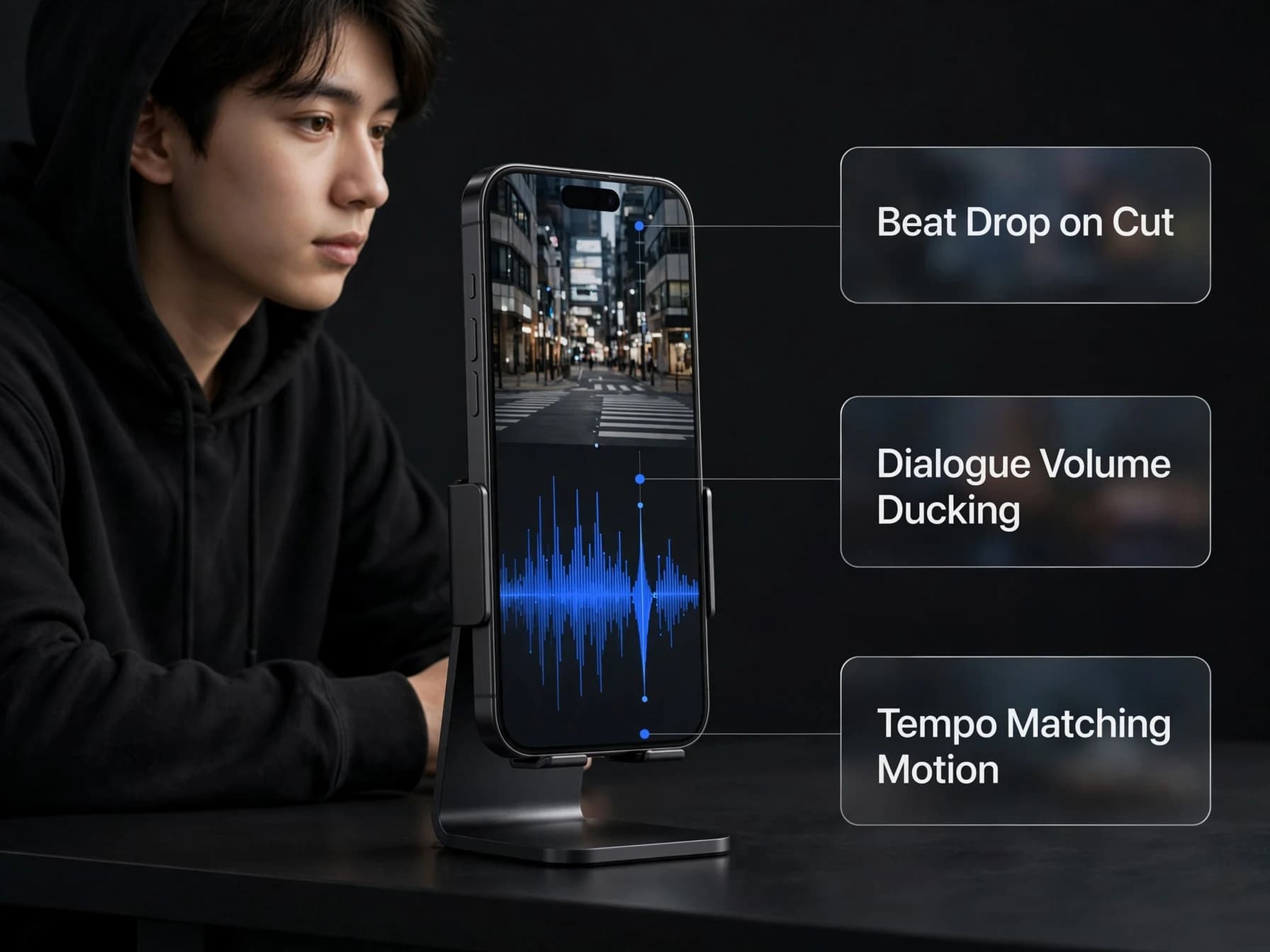
Smartphone timeline showing synchronized audio waveforms alongside video clips

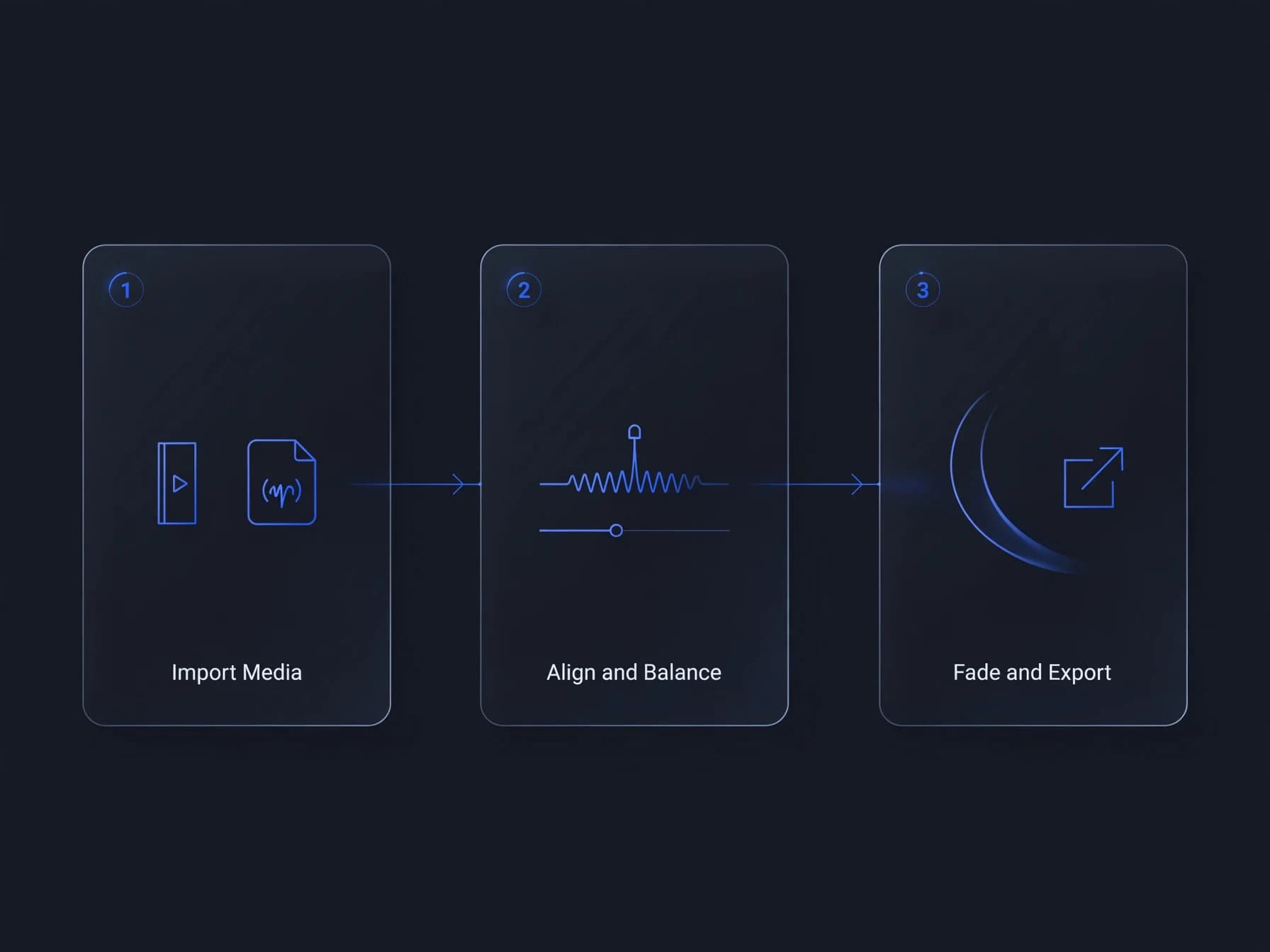
How to add music to a video step by step

Whether you want to add a song to a video on your phone, add music to video clips for a reel or put music on video projects in a desktop editor, the steps are almost the same.

  1. Import the video and the audio. Add your clip to a new project, then add the song or track. MP3, AAC and WAV files work in nearly every editor.
  2. Line up the start. Drag the music so its first strong beat, or the start of a phrase, lands on your opening shot or your first cut. Trim silence from the start of the track if needed.
  3. Trim the end. Cut the music where the video ends, ideally at the end of a musical phrase, so it doesn't stop mid-note.
  4. Set the volume. If someone speaks, drop the music well below the voice (more on levels below). If there is no speech, the music can stay louder.
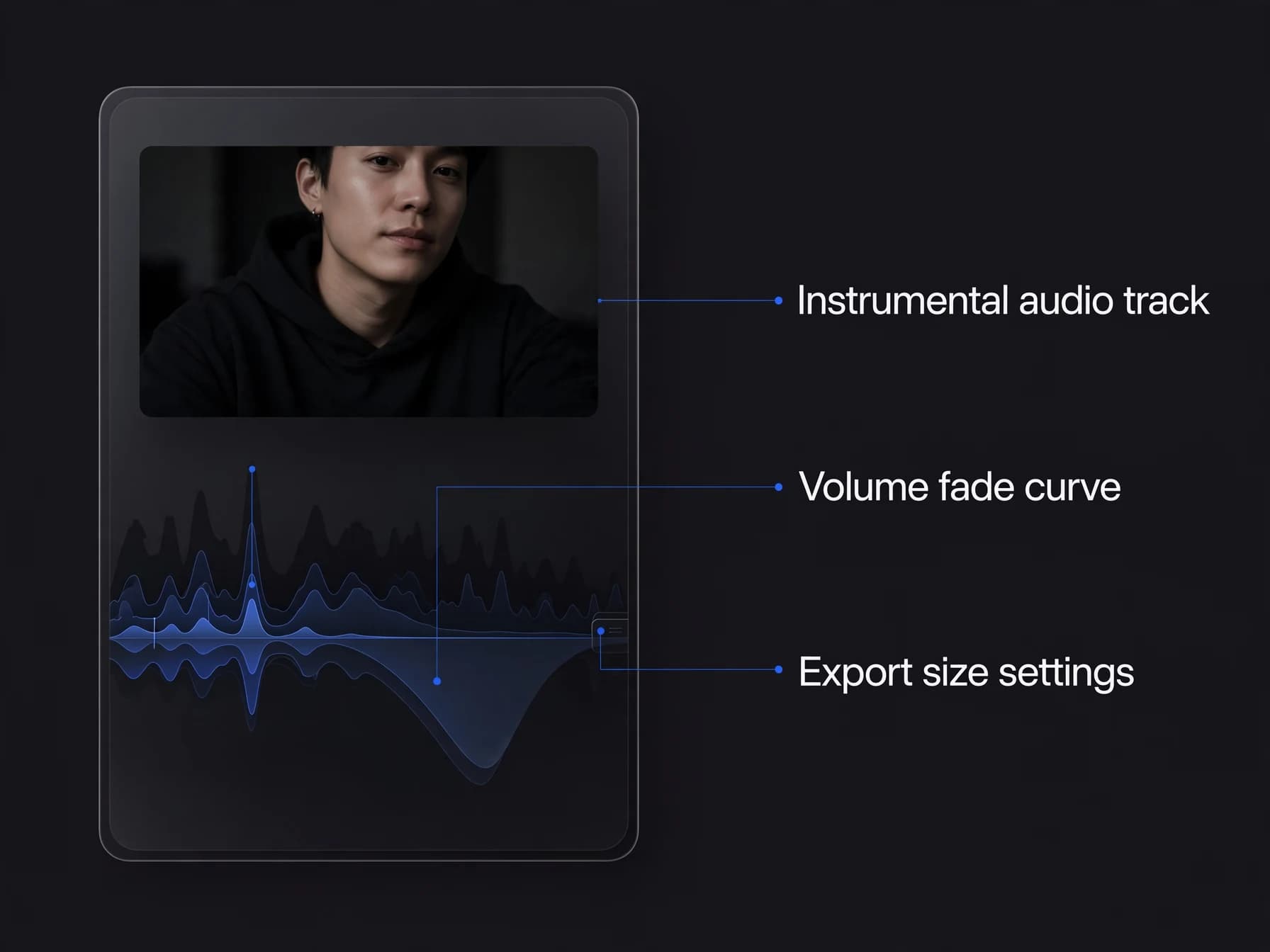
  5. Fade in and out. Add a short fade at the start and a fade of one to three seconds at the end.
  6. Check and export. Listen once on headphones and once on a phone speaker, then export as MP4.

On iPhone, iMovie is free: create a Movie project, add your clip, tap the plus icon and pick a soundtrack or a file from Files. On Android, most video editors in the Play Store have an Audio or Music tab that works the same way. On a PC or Mac, any timeline editor lets you drop the track on an audio lane under the video.
Video editor timeline displaying audio volume curves and fade transitions

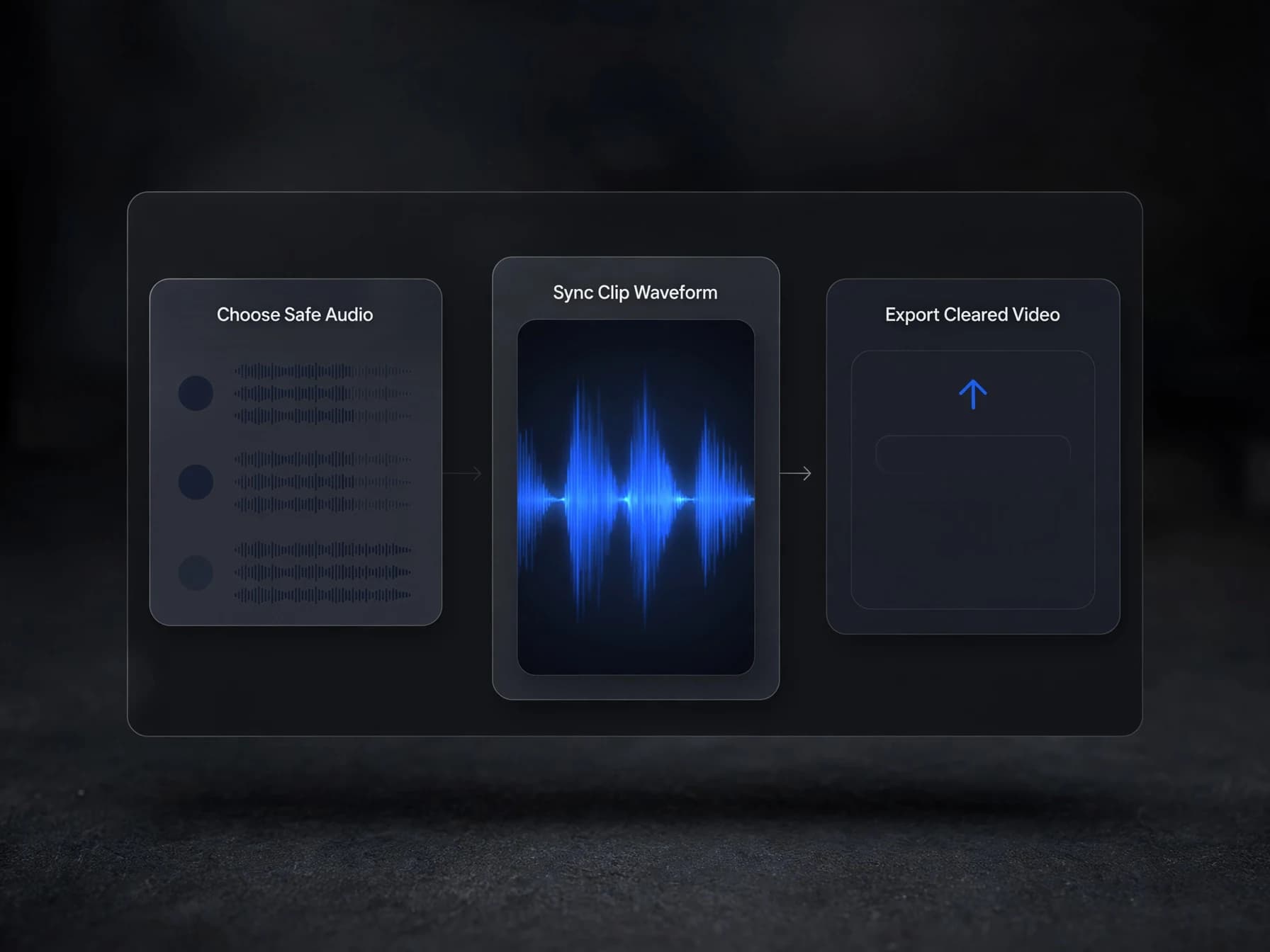
Where to find music you're allowed to use

Most problems with music come from the track, not the edit. A popular song you bought or stream is usually not licensed for your videos, and platforms detect it automatically. The result can be a muted video, a blocked upload or ad money going to the rights holder.

Safer sources are:

  • Royalty-free libraries, where a one-off or subscription licence covers use in your videos. Read what the licence allows, especially for ads and client work.
  • Platform sound libraries. The music inside a social app or a video platform's audio library is cleared for use on that platform. It may not be cleared for other places you post the same video.
  • Creative Commons tracks, if you follow the licence: some need credit, and some forbid commercial use.
  • AI-generated music made for your clip, from a tool whose terms let you use it in your own content.

Keep a note of where each track came from. If a claim ever appears, you can show the licence instead of losing the video.
Digital music library interface with commercial licensing filters and audio previews

How loud should background music be?

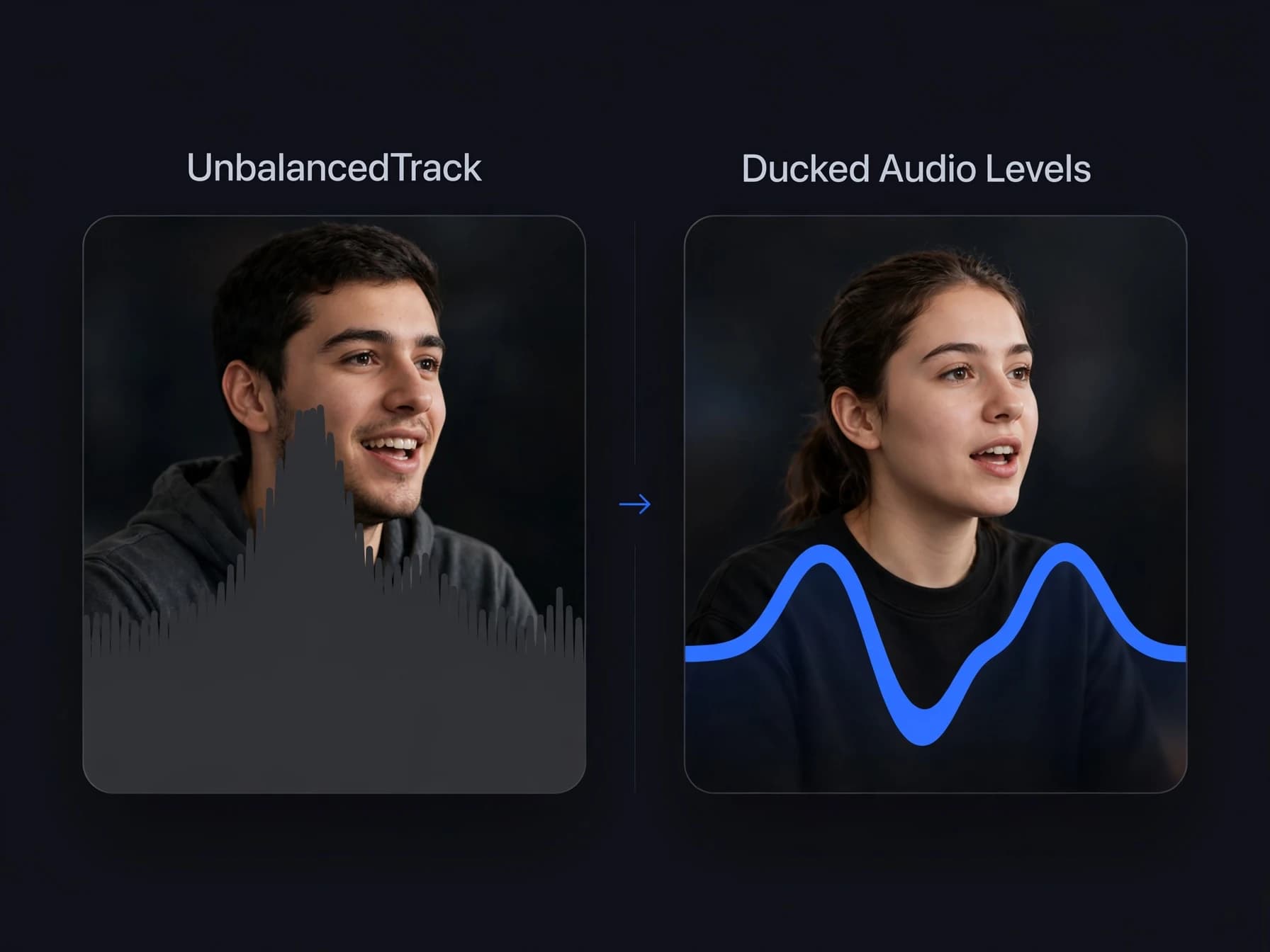
When you add background music to a video with speech, the voice comes first. A simple rule: the music should sit well below the voice, so you can follow every word without straining. In many editors that means lowering the music track to about 10 to 20 percent of its volume while people speak. If your editor has an audio ducking or auto-volume option, turn it on and it lowers the music only while there is speech.

Without speech, the music can carry the video, so keep it louder and let it change with the edit.

A few mistakes make a soundtrack feel off:

  • Songs with vocals under speech. Two voices at once are hard to follow. Use instrumental tracks behind talking.
  • A hard stop at the end. Let the music fade out instead of cutting it in the middle of a phrase.
  • Only checking on headphones. Most people watch on phone speakers, where bass disappears and loud music covers the voice.
  • Forgetting silent viewers. Many people scroll with the sound off. When the mix is done, put captions on your video so the message works without audio too.
Audio mixing sliders illustrating voiceover levels balanced above background music

How to add music to a video with AI

If you don't have a track, or your clip is completely silent, AI can make the audio for you. Clips from many AI video models come out silent, whether you made them from text, a photo or with video to video, and phone footage often has only wind and traffic noise.

The OnVid Add Sound tool works on a clip you upload, in MP4 or MOV, up to 60 seconds. Switch on Music and pick one of six moods: cinematic, upbeat, calm, tense, lo-fi or epic. The track is generated for your clip, so it fits the length, follows the cuts and fades out at the end, and you don't need to find or license a stock song. In the same pass, it can add sound effects to video automatically, matched to what happens on screen, and you can add a narrator or dialogue in 35 languages. When voices are on, the music drops lower while someone speaks. You get one mixed MP4 back, made in OnVid without a timeline.

It doesn't take your own song file, so if you need one specific song, use the editor steps above. Generating uses credits from a Pro or Max plan, charged per second of video, and you see the exact credits before you start. If you want the music to drive the whole video instead, our guide to making an AI music video starts from the song. Large exports can be shrunk with the free video compressor before you upload them.
Export panel for a finished video with a mixed soundtrack, next to studio headphones

The bottom line on how to add music to a video

Adding music comes down to three things: a track you are allowed to use, timing that follows your cuts, and a level that keeps voices clear. Any phone or desktop editor can do it in a few minutes.

If you have no track or a silent clip, an AI tool can score music to the video and add sound effects and a voiceover at the same time. Either way, check the result on a phone speaker before you post.

Frequently asked questions about how to add music to a video

Quick answers on adding music, background tracks and sound effects to your videos.

What is the easiest way to add music to a video?

The easiest way to add music to a video is the editor you already have. On iPhone, iMovie is free; on Android, most video editors have a Music or Audio tab; on social apps you can pick a sound inside the app before you post. Import the clip, add the track, trim it to the video and lower it under any speech.

Can I add music to video clips online without installing an app?

Yes. Browser-based editors let you upload an MP4, drop an audio file on the timeline and export. If you don't have a track at all, the OnVid Add Sound tool generates music for your clip in the browser and returns one mixed MP4.

How do I add music without getting a copyright claim?

Use music you have the right to use: royalty-free libraries, the sound library of the platform you post on, Creative Commons tracks that allow your use, or music generated for your clip. Commercial songs you stream or buy are usually not licensed for your videos and are often detected automatically.

How do I add music to a video on iPhone?

To add music to a video on iPhone, open iMovie, create a Movie project and add your clip from Photos. Tap the plus icon, then choose a soundtrack or a song file from Files. Drag the music to line it up, lower its volume if people talk, and export the video.

Can I add a song to a video on TikTok or Instagram?

Yes. Both apps let you pick a sound from their library while you edit. Those sounds are cleared for use inside that app; if you post the same video elsewhere, the music may not be cleared there.

How to add music to a video on Android?

On Android, open a video editor with a Music or Audio tab. Start a new project, add your clip, tap Audio, pick a track from the app's library or a song file on your phone, trim it and lower it under any speech before you export.

How do I add music to a video on Windows or Mac?

Any desktop timeline editor works: drag the video onto the video lane and the music file onto an audio lane below it. Line up the first beat with your first shot, trim the end, set the volume and add fades, then export as MP4.

How loud should background music be under a voice?

Low enough that every word is easy to follow. In many editors that is about 10 to 20 percent of the track's volume while someone speaks. An audio ducking option, if your editor has one, lowers the music automatically during speech.

Can AI add music to my video automatically?

Yes. OnVid's Add Sound tool scores a new track to a clip you upload (MP4 or MOV, up to 60 seconds) in one of six moods, matched to the length and cuts. It can also add sound effects and a voiceover in 35 languages. Generating uses Pro or Max plan credits, and you see the cost before you start.

How do I add sound effects to a video?

In an editor, drop effects from a sound library onto a second audio lane and line them up with the action. With AI, OnVid's Add Sound tool generates effects from what happens on screen, such as waves, footsteps or a door closing, timed to the moment they happen.

Can I add music to a photo?

First turn the photo into a short video: a slideshow app works, or you can animate the picture with AI. Then add the track like any other clip. Our guide on how to animate a photo shows the AI route.

Can I change the music on a video already on YouTube?

Yes. In YouTube Studio, open the video, go to the Editor and use the Audio lane to add or replace a track from the YouTube Audio Library. The video keeps its link, views and comments.

What audio format is best for adding music to a video?

WAV gives the best quality, and a 320 kbps MP3 or AAC file is fine for almost every video. Most editors accept all three without converting.

Why use a fade at the end of the music?

A fade avoids a hard stop in the middle of a note, which sounds like a mistake. A one-second fade-in and a two- to three-second fade-out make the video feel finished.

Can I use AI-generated music in videos I post or sell?

Check the terms of the tool that made it. On OnVid, the sound effects, music and voices generated for your video can be used in your own commercial and social content; you are still responsible for the rights to the footage.

See similar blogs

More from the blog

Explore more